
Working-Time and Attendance Record
Built around Article 202 of the Portuguese Labour Code
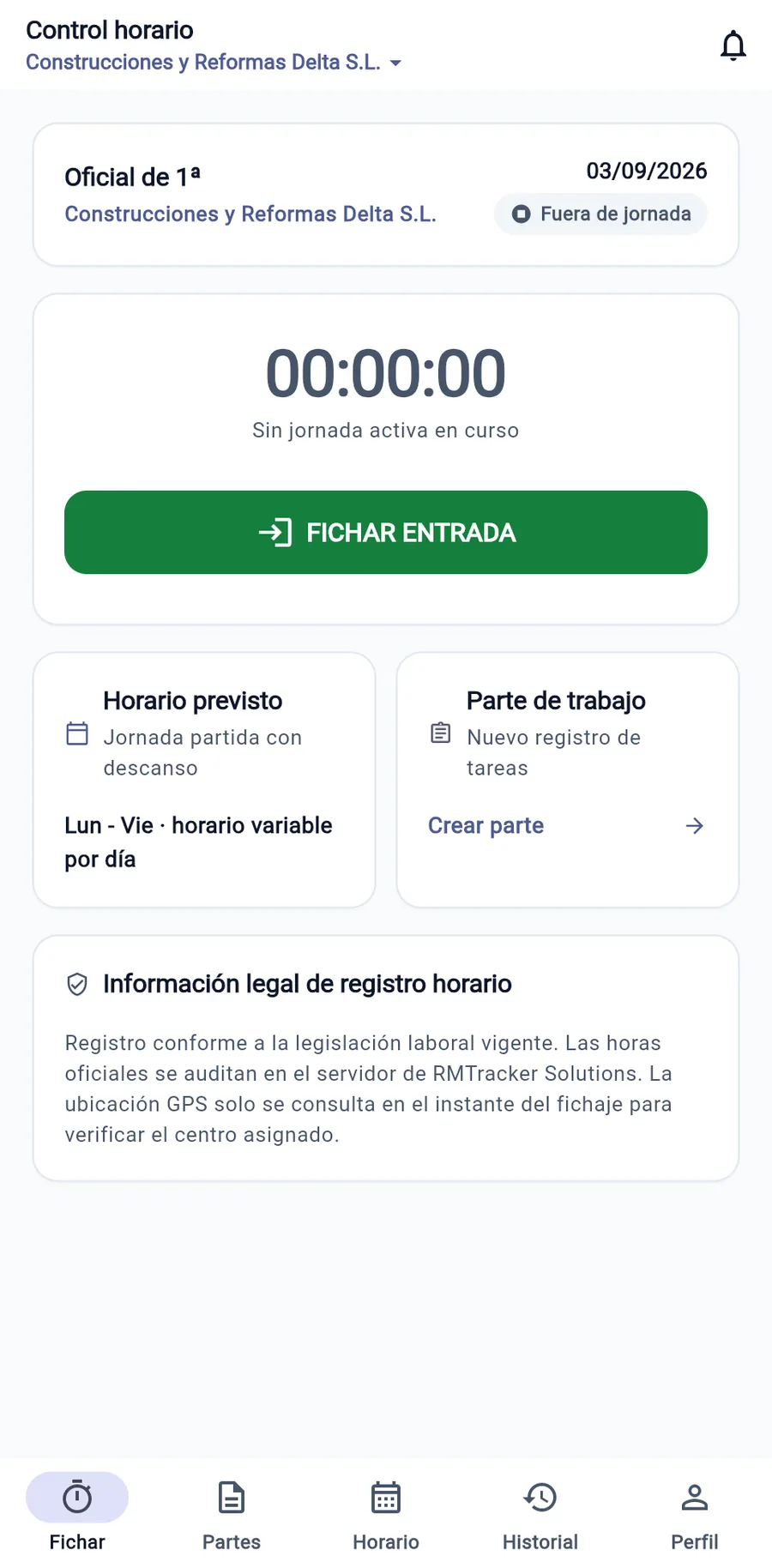
Designed to make it easier to comply with Article 202 of the Portuguese Labour Code and to meet the requirements of the Working Conditions Authority (ACT). Mobile clock-in for field teams with one-off geolocation, 5-year retention and the official monthly map ready to print in one click.
What the Código do Trabalho requires in Portugal
Article 202 of the Código do Trabalho strictly requires a daily record of working time to be kept, showing the start, end and rest breaks of each worker.
Daily record with start, end and breaks
Obligation to record the start and end of the working period, as well as breaks and rest intervals taken.
Immediate access for the ACT
The paper or electronic records must be permanently available for consultation at the workplace.
Off-site and traveling workers
Mandatory record even for mobile teams, on-call teams, service technicians and remote workers.
Mandatory retention for 5 years
Attendance records must be kept available to the ACT and to workers for five years.
Data protection and CNPD guidelines
Safeguarding workers' privacy rights with no fingerprint collection or surveillance.
Overtime control
Itemized record of regular hours and overtime with the legal pay supplements.
ACT Requirements: Unequivocal Proof and Tamper-Proof Records
The Autoridade para as Condições do Trabalho (ACT) requires the employer to keep a record showing the number of hours worked, the start and end times of the working day, breaks and overtime, and rejects editable timesheets.
Paper, Excel, Biometrics or WorkLogTracker: What Is Legal in Portugal?
Many traditional methods expose your company to serious fines from the ACT and to data protection risks before the Comissão Nacional de Proteção de Dados (CNPD).
| Criterion | Paper Sheet | Excel Spreadsheet | Fingerprint Scanner | WorkLogTracker |
|---|---|---|---|---|
| Evidential value before the ACT | ✘ Often rejected because the signatures lack credibility | ⚠ Low: files easily tampered with, no trail of changes | ✘ Valid under labor law but with a high risk before the CNPD | ✔ Unalterable: timestamped, with a history of every change |
| GDPR and CNPD Guidelines Compliance | ✘ Privacy risk: sheets exposed with personal data in plain view | ⚠ No proper permission control or security | ✘ Permitted only for attendance and access control, with stricter GDPR requirements | ✔ Privacy: zero biometric data and one-off GPS only |
| Efficiency for technicians and field teams | ✘ Unworkable: sheets torn or lost in work vehicles | ⚠ Unusable on the phone by field workers | ✘ Useless outside head office premises (fixed readers) | ✔ Intuitive mobile app on each field worker's phone |
| Works in places with no mobile coverage | ✘ Works, but records are frequently lost | ⚠ Fails because it requires a permanent cloud connection | ✘ Fails without a data network or local connection | ✔ 100% Offline Mode: saves locally and syncs without duplicates |
| Issuing the Official Record in PDF | ✘ Hours lost in the HR department adding up minutes by hand | ⚠ Complex formulas with frequent rounding errors | ✘ Raw export that requires processing in external programs | ✔ 1-click export of the official monthly record ready for the ACT |
| Link to Work Reports and Technical Service | ✘ Paper reports out of step with time records | ⚠ Disconnected from billable jobs and materials | ✘ Completely disconnected from productive activity | ✔ Clock-in and signed work report in the same app |
| Implementation cost and monthly fee | ✘ Apparently zero cost but with high hidden HR costs | ⚠ Wasted admin time and risk of ACT fines | ✘ €500 to €3,000 on wall-mounted physical readers and servicing | ✔ €2/month per worker · No sign-up fee and no lock-in contracts |
Why it is better not to use fingerprints or facial recognition
Biometric data are special-category data under the GDPR. Lei n.º 58/2019 (art. 28.º, n.º 6) only allows them to be processed for attendance and access control, in compliance with the principles of necessity and data minimization.
A biometric terminal requires enhanced security measures and, as a rule, an impact assessment; disproportionate or poorly protected processing can result in very high GDPR fines.
Secure, GDPR-compliant solution
WorkLogTracker does not collect any biometric data. Clock-in is done with individual credentials on the phone, with confirmation of the workplace only at the moment of the action.
ACT Fines and Penalty Regime in Portugal
The Código do Trabalho classifies breaching the working-time record requirement as a serious labor administrative offense.
Serious ACT Administrative Offence (Art. 202 CT)
Fines of up to €9,690Failing to keep the working-time record, failing to make it available to the ACT or altering its data constitutes a serious administrative offence punishable by heavy fines.
Mandatory 5-Year Retention
Art. 202.º n.º 5 CTThe company must keep attendance records for 5 years. Premature destruction or loss of records is penalised as a separate offence.
Non-Payment of Overtime
Art. 268.º CTFailing to record overtime makes it impossible to prove in court that mandatory rest periods and pay supplements were complied with.
The Official Working-Time Record in PDF
The monthly map WorkLogTracker issues automatically for each worker, prepared on the basis of Article 202 of the Portuguese Labour Code for presentation to the ACT.
| Day | Clock In | Break | Clock Out | Regular | Overtime | Incident / Audit Trail |
|---|---|---|---|---|---|---|
| 01 | 08:00 | 13:00 – 14:00 | 17:00 | 8:00 | — | Clock-in verified by a point-in-time geofence check |
| 02 | 08:00 | 13:00 – 14:00 | 18:30 | 8:00 | 1:30 | Overtime authorized for urgent intervention |
| 03 | 08:10 | 13:00 – 14:00 | 17:00 | 7:50 | — | Traffic delay justified and approved |
| 04 | 08:00 | 13:00 – 14:00 | 17:00 | 8:00 | — | Regular shift at assigned facility |
Up and running in under 10 minutes
No hardware terminals to purchase, no complex server installations, and no lock-in.
Register sites and employees
You create your WorkLogTracker account, add your workplaces or construction sites, configure the agreed working hours and register your workers in minutes.
Team downloads the app
Each worker downloads the free mobile app on iOS or Android and logs in securely. They clock in with a single tap, with or without coverage.
Compliance reports & peace of mind
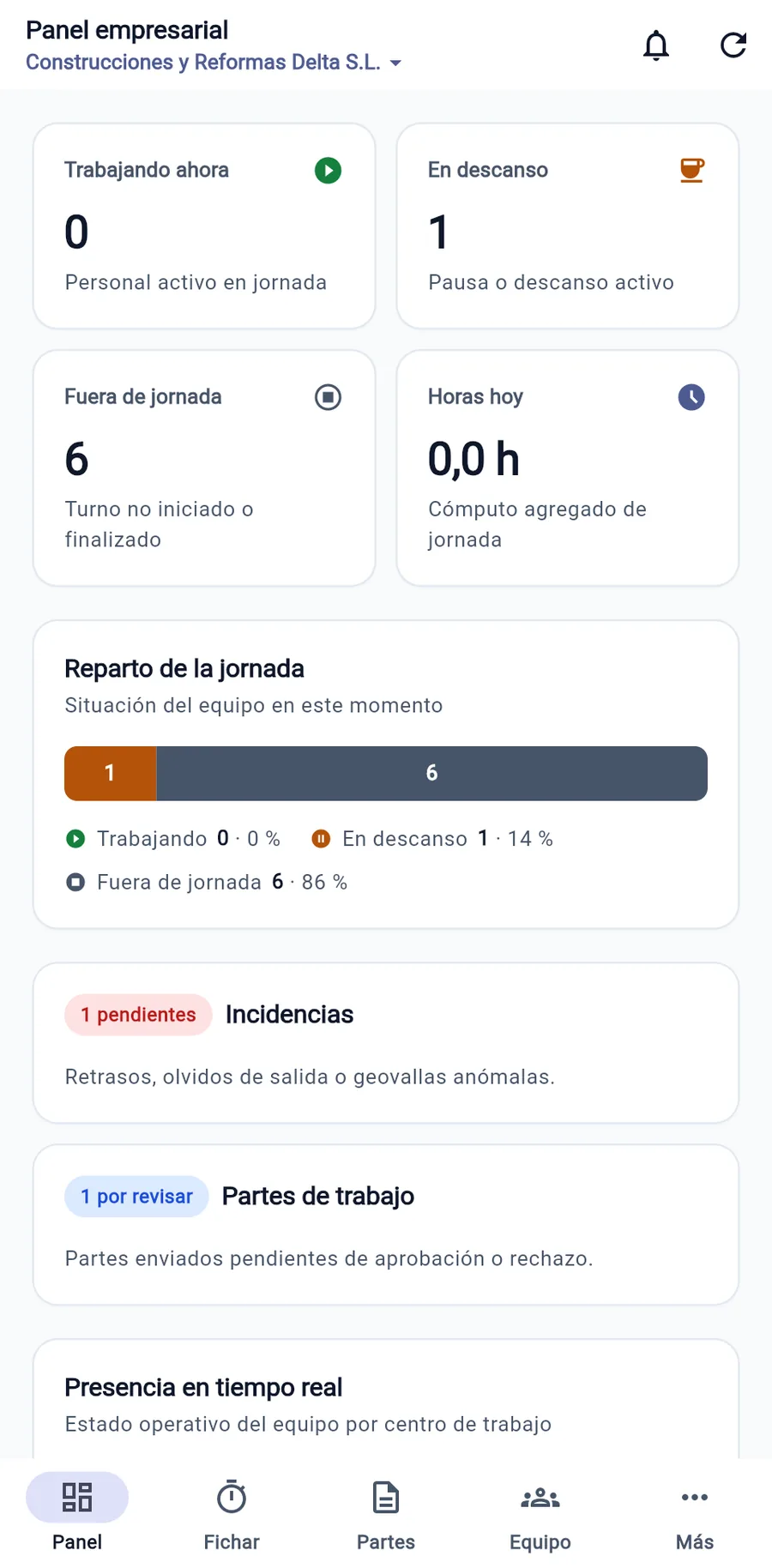
Administration supervises working hours in real time, resolves incidents with dual traceability and downloads the official monthly template whenever the authorities request it.
Tailored to field work outside traditional offices
Specially adapted for businesses with mobile technicians, worksite crews, and distributed personnel.
Construction & Renovation
Your crews clock in at the job site even without coverage. Daily reports with materials, machinery, progress photos and the developer's signature are ready instantly.
See compliance in Construction & RenovationInstallers & Assembly
Your technicians carry out multiple jobs per day. With WorkLogTracker they clock in and out for their full working day and generate each installation report with materials and signature on site.
See compliance in Installers & AssemblyMaintenance & Field Service
Eliminate the gap between your maintenance technicians' field visits and back-office management.
See compliance in Maintenance & Field ServiceCleaning & Facility Services
Manage dozens of work locations and mobile teams with a tool built for working-time records that does not invade privacy.
See compliance in Cleaning & Facility ServicesMobile Workshops & Roadside Assistance
For mechanics, mobile workshops and on-site assistance: track on-call hours, call-outs and service reports signed on the spot.
See compliance in Mobile Workshops & Roadside AssistanceTransport & Logistics
Your drivers and couriers are constantly on the road. With WorkLogTracker they clock in at the start of their shift and log driving breaks and waiting times at loading docks, with delivery reports signed by the customer on the phone.
See compliance in Transport & LogisticsFrequently Asked Questions (Portugal)
Legally grounded answers for business owners, HR managers, and payroll specialists.
Is recording working time mandatory in Portugal?
Yes, absolutely mandatory. Article 202 of the Código do Trabalho (Lei n.º 7/2009) states that the employer must keep a record showing the number of hours worked by each worker, per day and per week, indicating the start and end times of the working day as well as rest breaks. It applies to all sectors and workers, including off-site work and remote work.
Are paper timesheets or Excel records still accepted by the ACT?
The Autoridade para as Condições do Trabalho (ACT) requires the record to be reliable, tamper-proof and accessible. Paper sheets signed at the end of the month or editable Excel files with no computer audit trail do not guarantee the accuracy of the hours and frequently lead to infringement reports and serious fines for lacking a reliable record.
Why is it better not to use biometric data (fingerprints) to clock in?
Biometric data are special-category data under the GDPR. Lei n.º 58/2019 (art. 28.º, n.º 6) only allows them to be processed for attendance and access control, in compliance with the principles of necessity and data minimization, which requires enhanced security measures and, as a rule, an impact assessment. WorkLogTracker does not collect biometric data: employees clock in on their own mobile phone with a one-off location check.
What does the ACT require during an inspection at the company or on site?
ACT inspectors request immediate presentation of the daily records of the people working on site, the history of attendance records for the last 5 years and proof that the worker is aware of the hours recorded. With WorkLogTracker, the manager exports the Official Record in PDF with one click.
What are the ACT fines for failing to keep a working-time record?
It constitutes a serious labour administrative offence, punishable by fines of up to €9,690 per infringement, depending on the company's turnover (articles 202 and 554 of the Código do Trabalho).
How does clocking in work for teams on construction sites, on-call teams and field technicians?
Through the WorkLogTracker mobile app (Android and iOS). The technician clocks in on arrival at the workplace or customer site. The app checks via a one-off geolocation that they are at the assigned location. If they are in a basement or an area with no signal, they clock in in offline mode and the data syncs as soon as coverage is available.
How are hours linked to work reports and service reports?
In the same app, the technician records tasks, priced materials and travel expenses, and collects the customer's digital signature on the screen. The company gets the legal attendance record and the work report ready to invoice.
How long must working-time records be kept in Portugal?
Paragraph 5 of Article 202 of the Código do Trabalho states that the employer must keep working-time records available to the ACT and to workers for five years.
Protect your business against Autoridade para as Condições do Trabalho (ACT) fines starting today
Try WorkLogTracker free for 14 days with no commitment or credit card. Only 2 € per month per worker / month after the trial.