
Work reports completed and signed
before driving the van away.
Eliminate paper job sheets, illegible notes, and weeks of billing delay. Your technicians document tasks, materials with costs, expenses, mileage, and photos; and the client validates with on-screen signature.
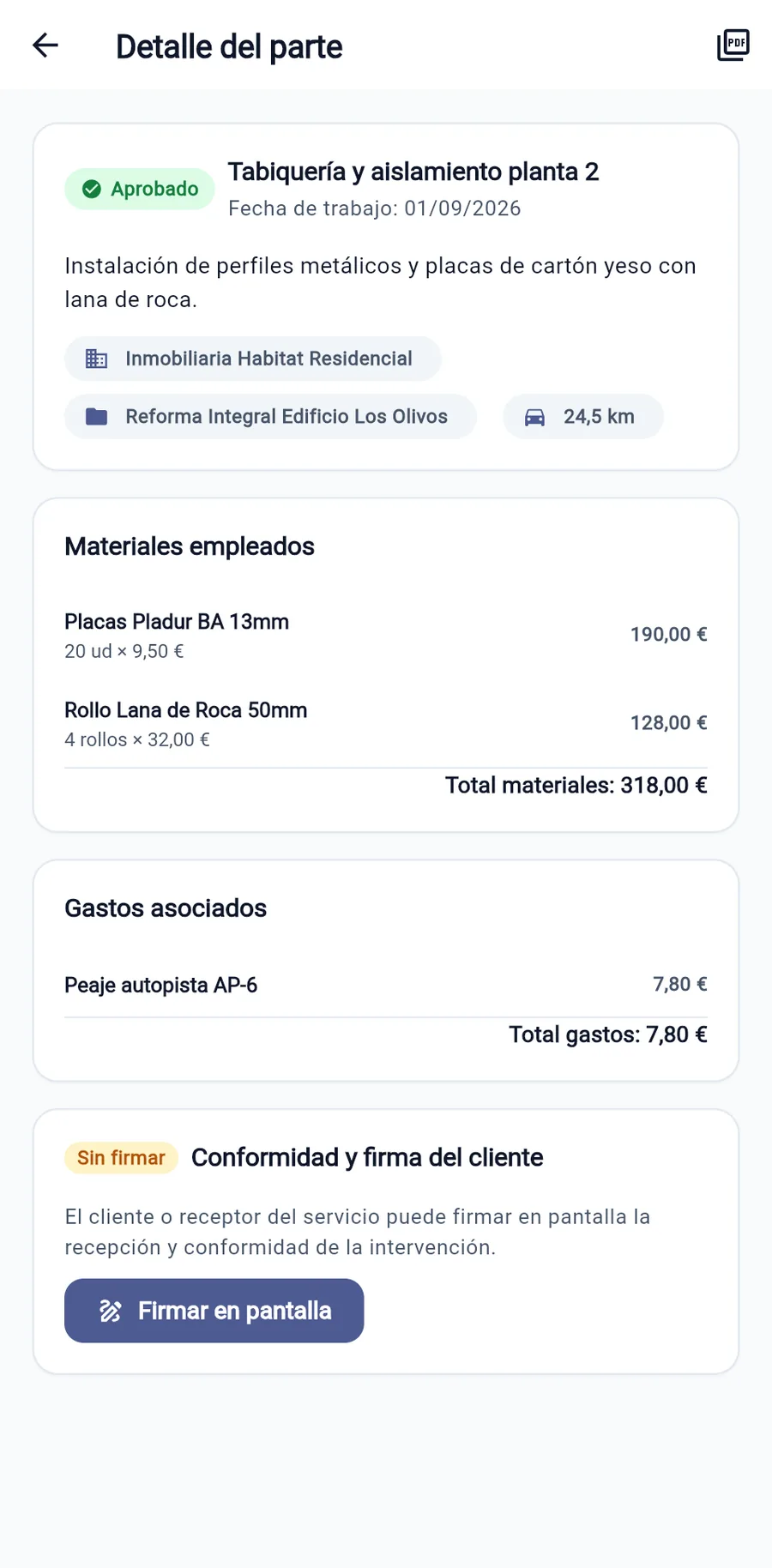
Everything included in every work report
Designed so technicians don't waste time handwriting and offices don't waste time deciphering.
Materials with quantities and costs
Select the materials used from your catalog (piping, wiring, spare parts) with quantities and rates. The total is calculated automatically.
On-screen signature with name and identity document number
The client, developer or site manager signs directly on the phone with their finger. The signature, full name, ID document and exact time are recorded.
Timestamped photos
Attach photos of prior conditions, progress, and completed work. They remain permanently linked to the customer file in case of any warranty claim.
Daily mileage and job expenses
Record travel mileage, tolls, and expense receipts. Directly assigned to the client or project without lost slips.
Projects and hour banks
Link each intervention to a specific client and project. If the client has a prepaid retainer, hours deduct automatically.
Real-time availability in headquarters
The exact moment the client signs, your back office can review the report, approve it, and generate the invoice.
No disputes: the client's signature is indisputable proof
How many times has a client questioned whether 3 meters of pipe were installed or 10? Or whether the technician was there 2 hours or 4?
At the end of the job, the customer reads the summary on screen and signs with their finger next to their name and identity document number. The resulting digital delivery note serves as signed proof of delivery and of the services provided.
Request Demonstration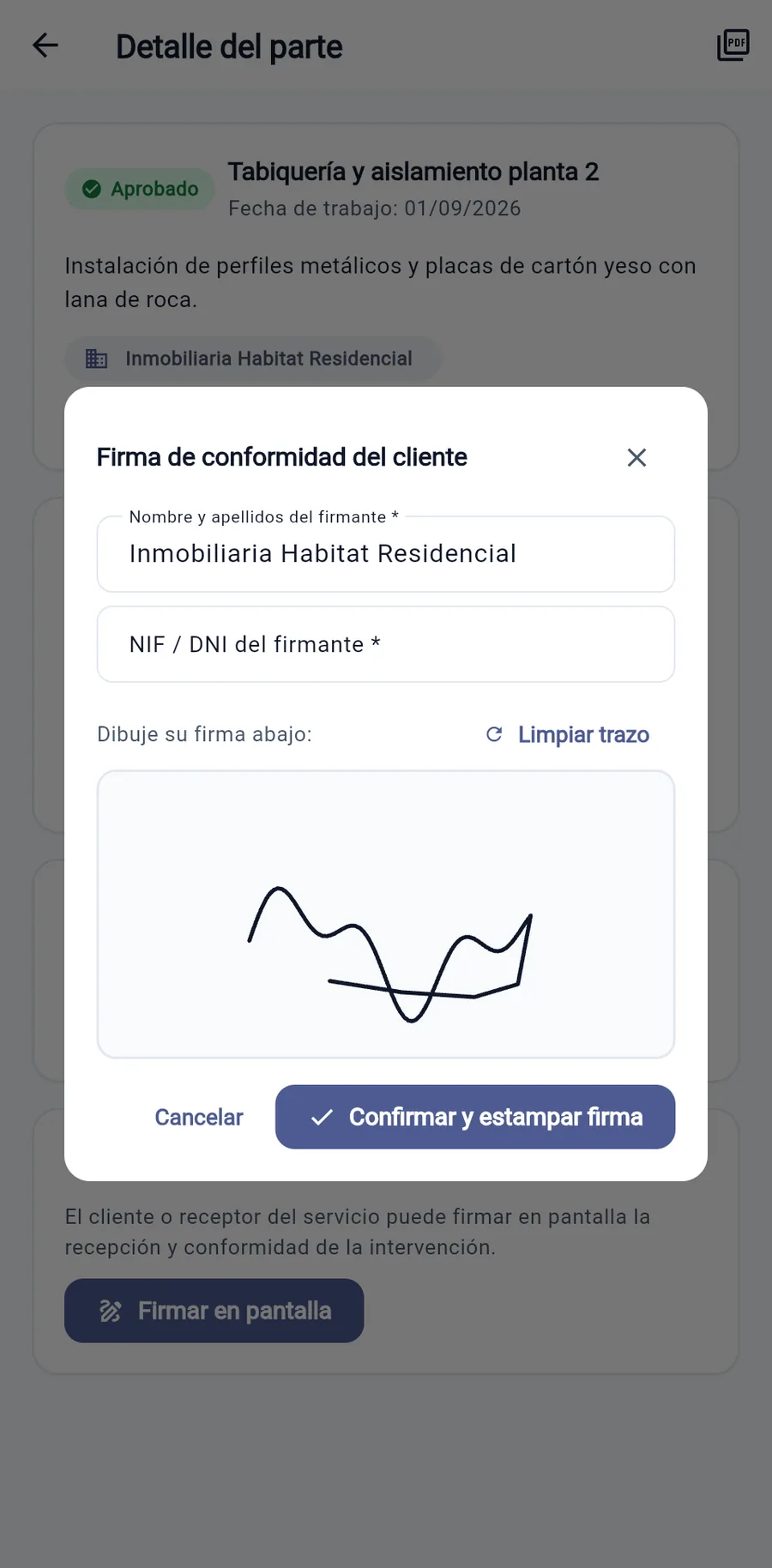
Frequently asked questions about work reports
Does it work in basements, warehouses, or dead zones with no mobile reception?
Yes. WorkLogTracker stores clock-ins and work reports securely and encrypted on the device itself. As soon as the phone reconnects (Wi-Fi or mobile data), all records sync automatically with the server without ever being duplicated, even if the upload attempt is repeated.
How do work reports and the customer's signature work?
Right at the job site, the technician records the tasks completed, materials with their cost, expenses and photos. Before leaving, the client reviews the summary on screen, enters their name and identity document number and signs with their finger. The work report is closed and ready for invoicing at the office, doing away with lost paper delivery notes and hours of manual transcription.
Digitize your work reports today
Leave paper behind and invoice your jobs as soon as they are done. 14 days free with no commitment.
Request Free Trial